Serial Number
The Serial Number module is enabled when there are items configured with the Serial Number tracking method.
This module is used to manage and track items individually using unique serial numbers. Serial numbers are generated and recorded when items are added into inventory through transactions such as:
- Purchase
- Opening Balance
The module also provides an option to update and manage serial number details, ensuring accurate tracking of each individual item.
This helps businesses maintain precise control over inventory by tracking the movement, usage, and history of each serialized item.
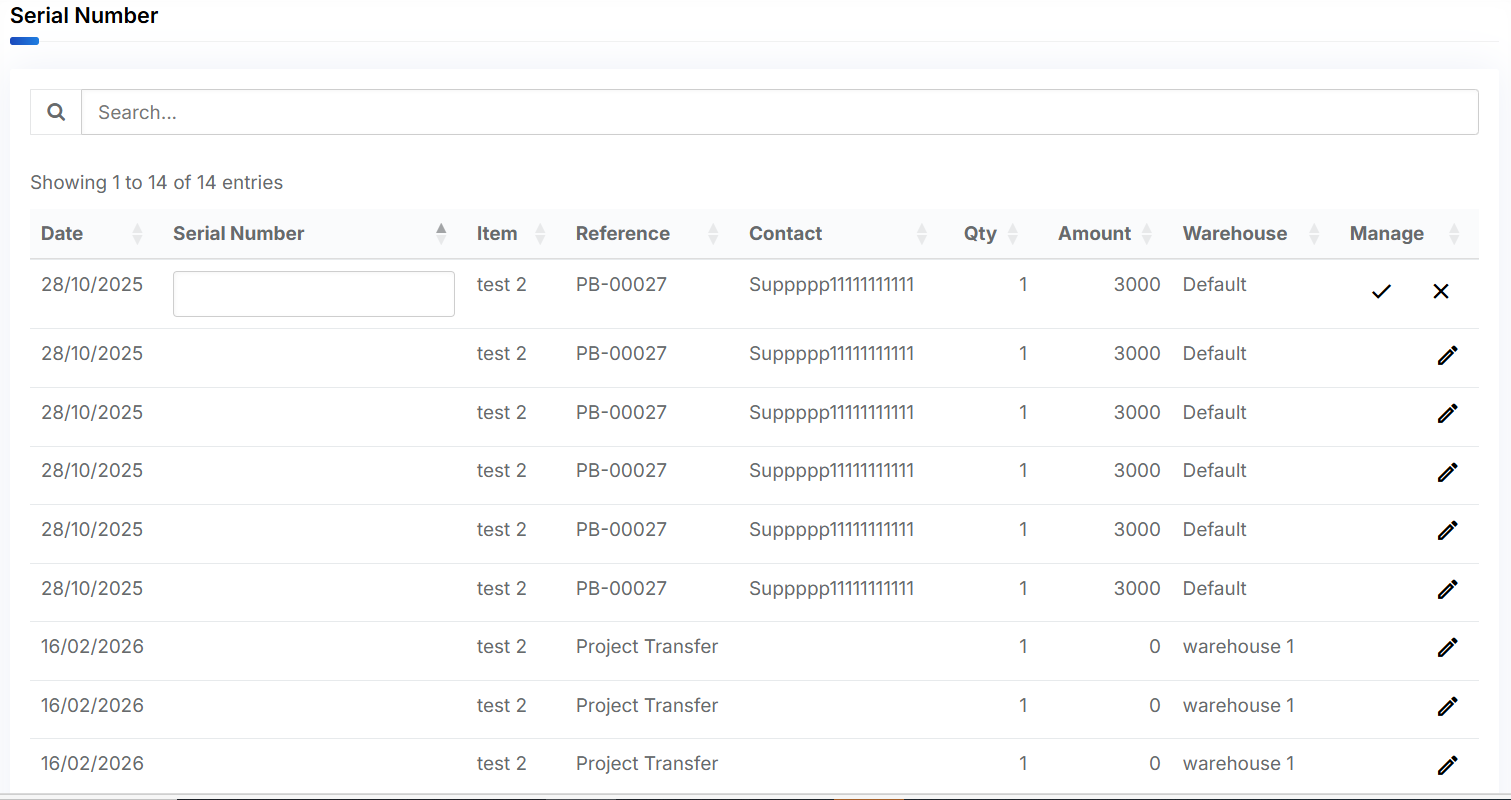
When you click on the Serial Number module, you will be redirected to the Serial Number Smart View, where all serial number records are listed.
The Smart View displays the following details:
- Date – Date of entry
- Serial Number – Unique serial number of the item
- Item – Name of the item
- Reference – Source of the entry (Purchase, Opening Balance, Project transfer etc.)
- Contact – supplier
- Quantity (Qty) – Quantity associated with the serial number
- Amount – Value of the item
- Warehouse – Warehouse where the item is stored
Manage Options
Under the Manage section, the following option is available:
- Change Batch –
When this option is selected, the Serial Number field becomes editable, allowing users to update or modify the serial number details.
This module helps ensure accurate tracking and easy management of serialized inventory items.
Serial Number Entry & Update
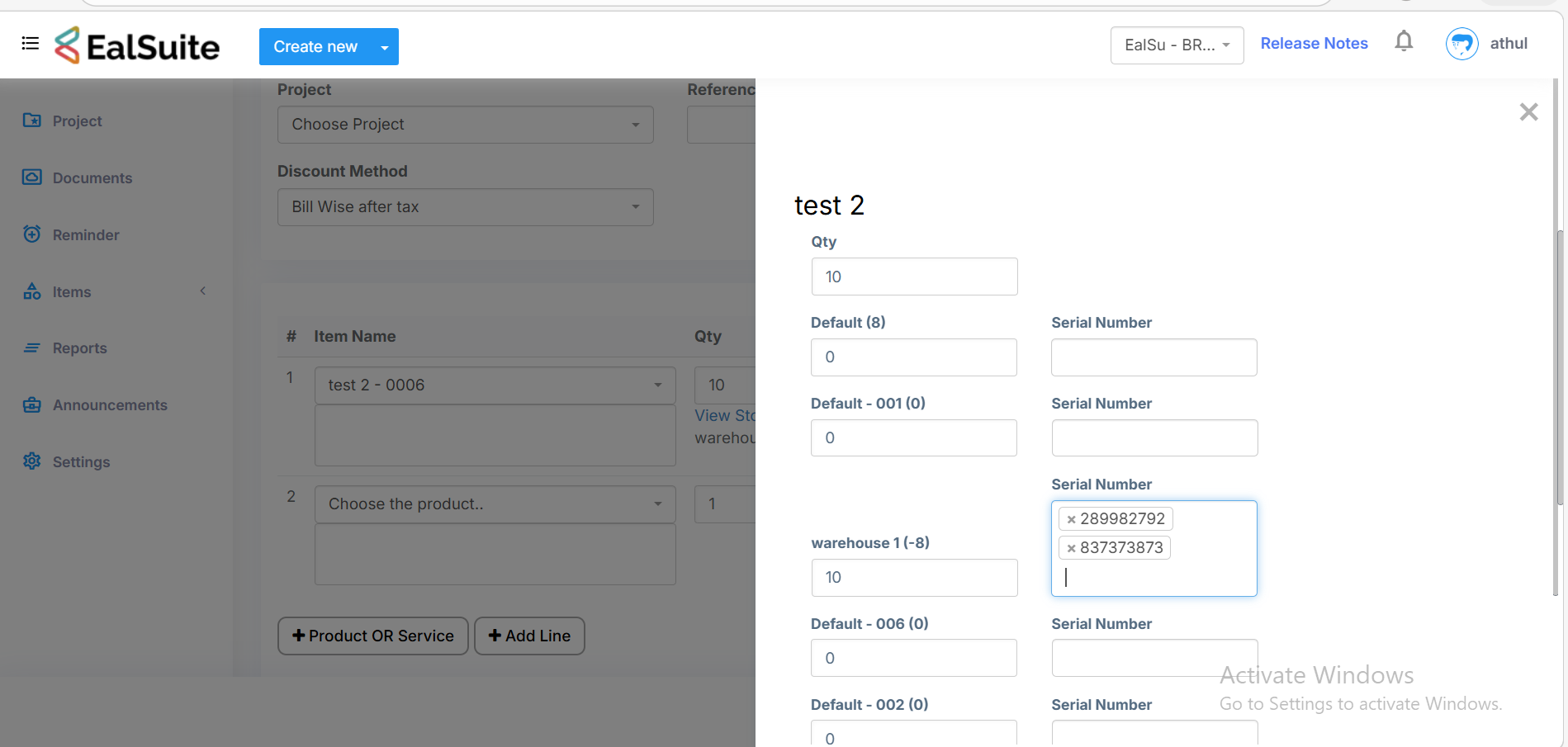
While creating a Purchase Bill, users can also add or update serial numbers.
- When selecting the warehouse for the item, if the item is configured with Serial Number tracking, an additional column will appear.
- In this column, users can enter the serial numbers for the items being added to inventory.
This ensures that serial numbers are captured at the time of stock entry.
After saving the transaction, the entered serial numbers will be automatically reflected in the Serial Number module, where they can be viewed and managed later.
Serial numbers can also be updated from the Serial Number module using the available options.
Last updated: July 24, 2026