Overview
Sales Module Workflow
The Sales Module manages the complete sales lifecycle in EalSuite, starting from customer creation to final invoicing.
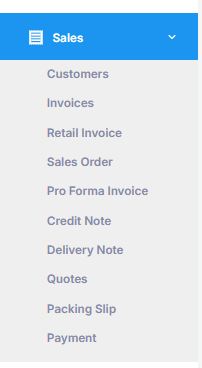
Basic Workflow
Create a Customer → Quotation (Quote) → Pro Forma Invoice (Advance Payment) → Sales Order (Stock) → Delivery Note → Invoice
Step-by-Step Sales Process
-
Create a Customer Record
Start by creating a new customer profile in the system.
-
Provide a Quotation (Quote)
Send a quotation to the customer that includes product details, pricing, and terms.
-
Issue a Pro Forma Invoice
If the customer agrees to the quotation, create a Pro Forma Invoice to collect the advance payment.
-
Create a Sales Order
After receiving the advance payment, create a Sales Order to reserve the stock for the customer.
-
Create a Delivery Note (Optional)
If the customer requires only part of the order at that time, create a Delivery Note.
-
Create the Final Invoice
After the order is fulfilled and payment is received, create the final Invoice.
Note: You can directly convert a Pro Forma Invoice to a Sales Order from the same page.
Last updated: July 24, 2026