Item Group
The Item Group module is used to classify and organize items into different groups for better inventory management. It helps businesses handle large volumes of inventory by grouping similar items together, making them easier to manage and identify.
By using item groups, users can efficiently structure their inventory, simplify item selection during transactions, and maintain better control over stock. This module also plays an important role in improving reporting, as grouped items can be easily filtered and analyzed in various inventory and financial reports.
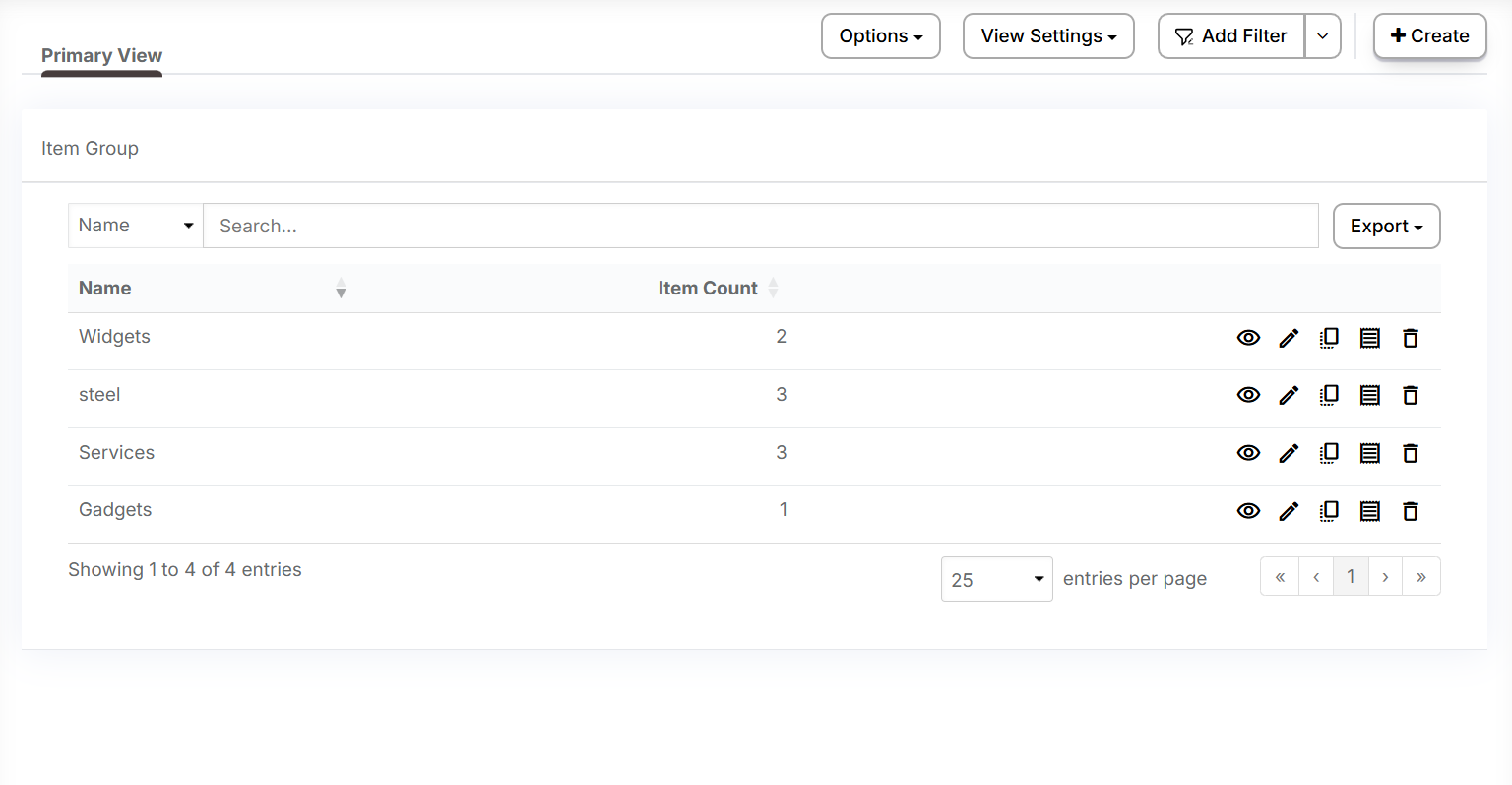
When you click into the Item Group module, you will be redirected to the Smart View, where all the created item groups are listed along with their details.
The Smart View displays the following information:
- Name – The name of the item group
- Item Count – The number of items added to the specific group
Under the Manage section, the following options are available:
- View – View the details of the item group
- Edit – Modify the item group details
- Clone – Create a duplicate of the item group
- Log – View activity logs related to the item group
- Delete – Remove the item group
On the top-right side of the Smart View, there is a Create button which allows users to create a new item group.
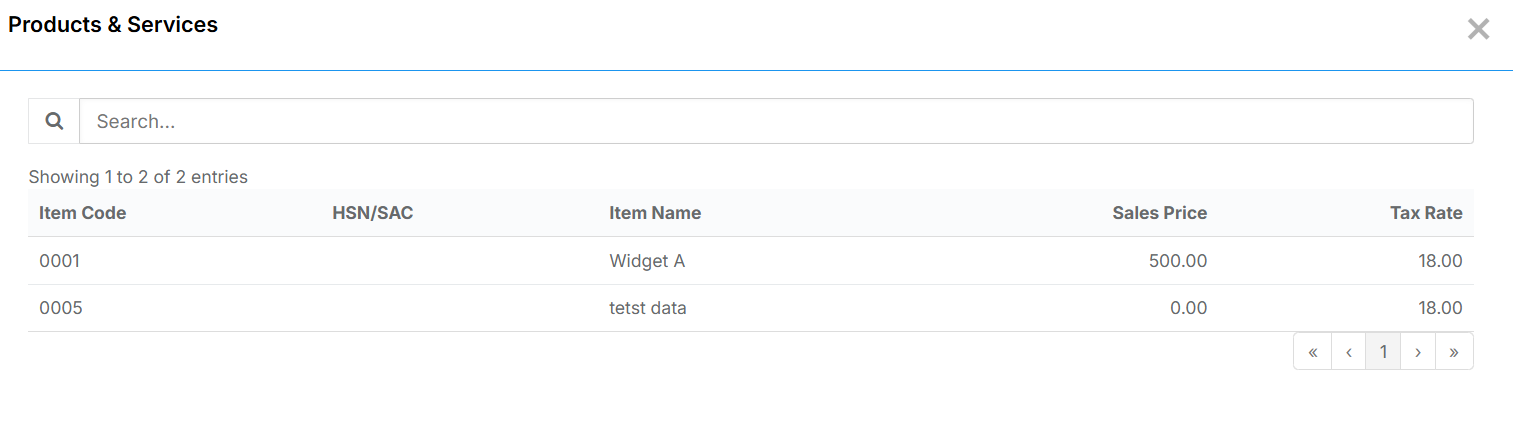
When you click on the View option from the Manage section in the Item Group Smart View, you will be redirected to the Item Group Detail Page.
In this view, you can see the list of all items that are included in the selected item group.
The following details of each item are displayed:
- Item Name – Name of the item
- HSN/SAC – Tax classification code of the item
- Sales Price – Selling price of the item
- Tax Rate – Applicable tax rate for the item
This section helps users easily identify and manage all items grouped under a specific item group.
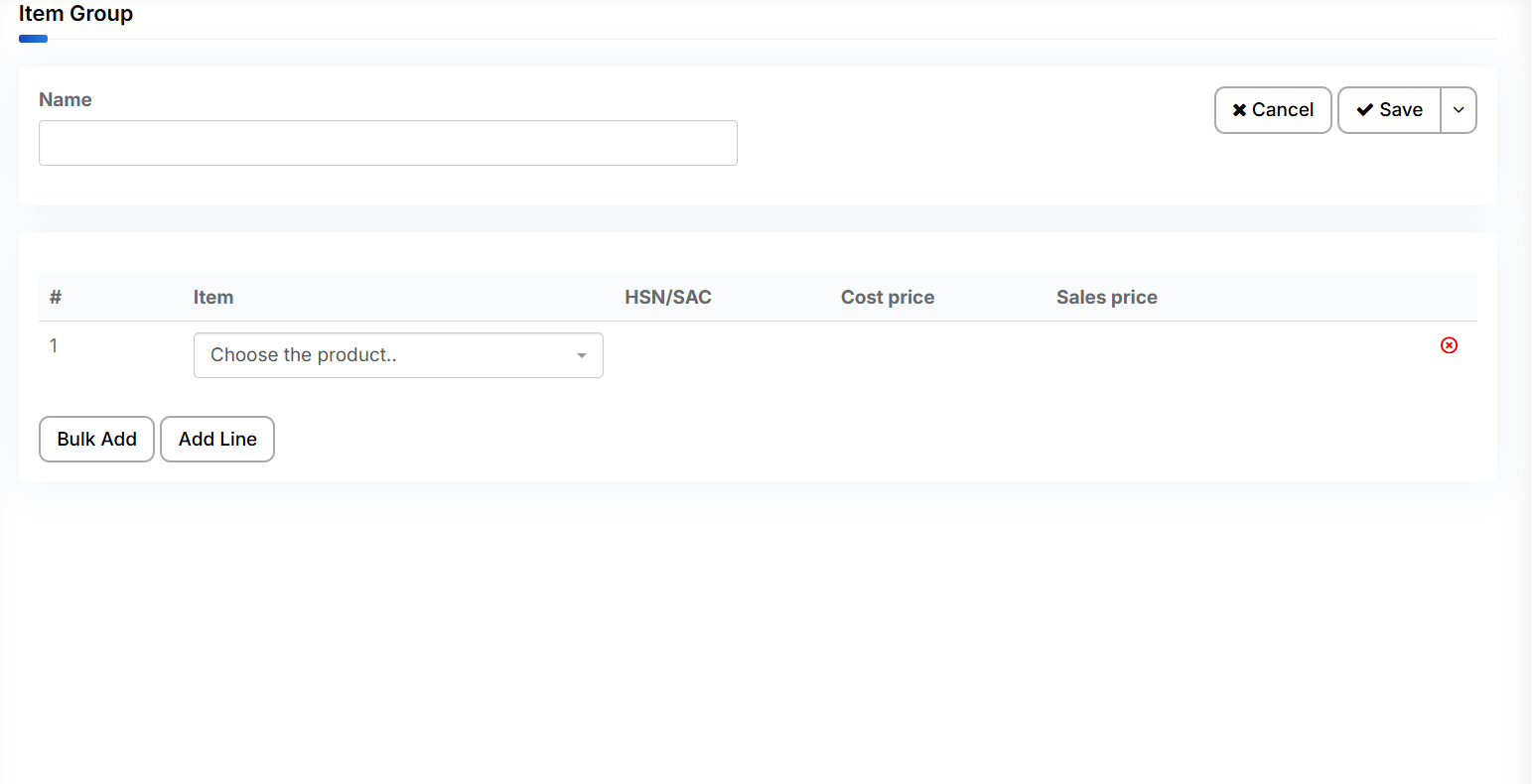
To create a new item group, click the Create button located at the top-right side of the Item Group Smart View. You will be redirected to the Item Group Creation Page.
In the creation form, the following fields are available:
- Name – Enter the name of the item group.
- Items – Select the items to be included in the group.
All items created through the Inventory Module will be listed in the dropdown, allowing users to easily select and add them to the group.
Validation
- At least one item must be added to the item group in order to save it.
Usage
Once created, the item group will be available for selection while creating new items in the Inventory Module. This helps in properly categorizing items during item creation.
Last updated: July 24, 2026