Reminder
The Reminder module allows you to create and manage reminders in EalSuite. It helps track important follow-ups, tasks, or scheduled activities.
Viewing Reminders
When you open the Reminder module:
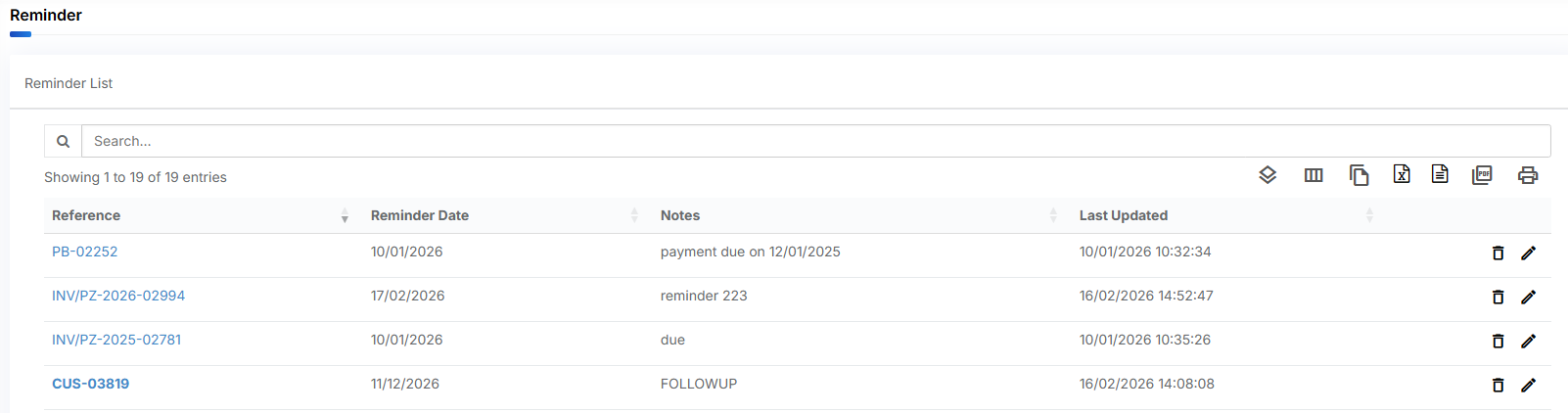
- A list of created reminders is displayed in a table
- The table includes the following columns:
- Reference
- Reminder Date
- Notes
- Last Updated
In the Manage section, the following options are available:
- Edit – Modify the reminder
- Delete – Remove the reminder from the system
Editing a Reminder
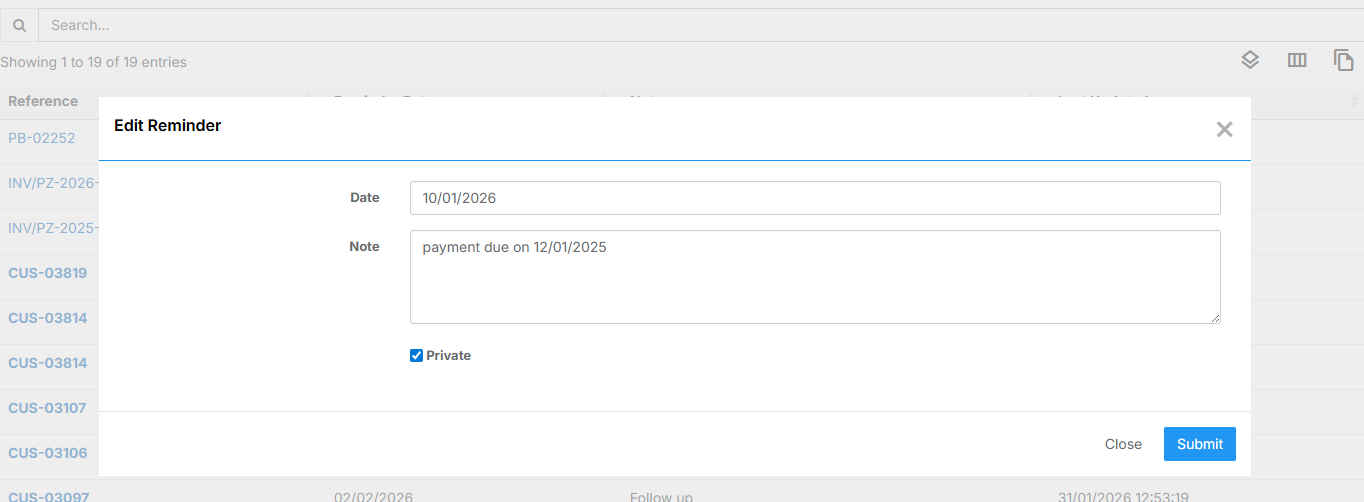
- Click the Edit button
- A popup window will appear
- You can:
- Edit the Reminder Date
- Update the Notes
- Set the reminder as Private or not
- Click Submit to save the changes.
If you click Delete, the selected reminder will be permanently removed.

Table Options
At the top of the reminder table, the following options are available:
- Entries – Select how many rows to display
- Columns – Choose which columns should be visible
- Search – Search reminders easily
- Copy – Copy table data to clipboard
- Excel – Download as Excel file
- CSV – Download as CSV file
- PDF – Download as PDF
- Print – Print the reminder list

Reference Column
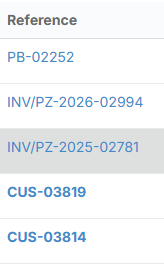
- Clicking the Reference number will redirect you to the related record’s view page
- In some cases, the reference may appear as RSB
Last updated: July 24, 2026