Expiry Module
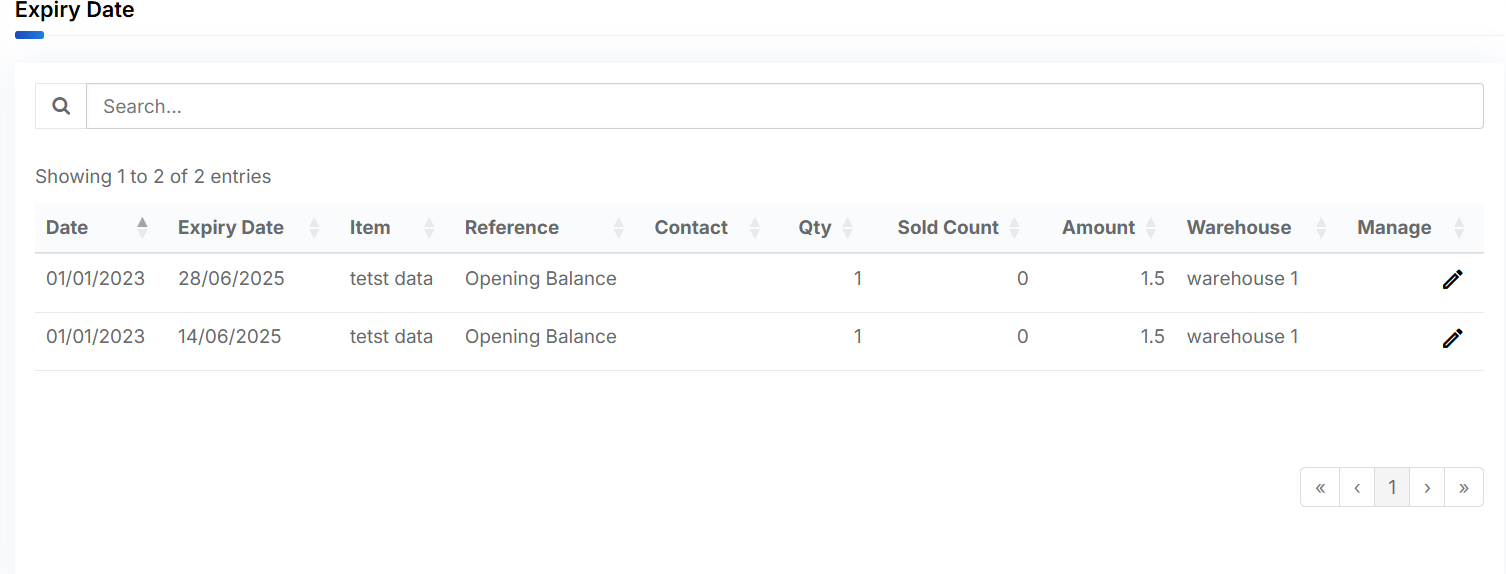
When you click on the Expiry Date module, you will be redirected to the Smart View, where you can see the list of items tracked with expiry details.
The list includes items added into inventory through:
- Purchase Bills
- Opening Stock
- Warehouse Transfers
The Smart View displays the following details:
- Date – Date of entry
- Expiry Date – Expiry date of the item
- Item – Name of the item
- Reference – Source of the entry
- Contact – Related supplier or party
- Quantity (Qty) – Total quantity added
- Sold Count – Quantity already used or sold
- Amount – Value of the stock
- Warehouse – Warehouse where the stock is stored
Under the Manage section, the following option is available:
- Edit – Used to update or modify the expiry date and related details
This module helps businesses to track, maintain, and update expiry-based inventory, reducing the risk of using or selling expired items.
Edit / Update Expiry Date
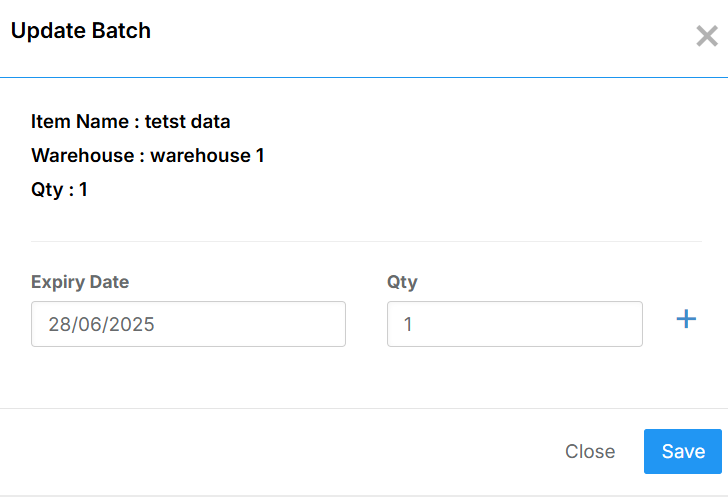
When you click on the Edit option from the Manage section, you will be redirected to the Expiry Date Update Form.
In this form, you can view and update the expiry details of the selected item.
Basic Details
The following information is displayed:
- Item Name – Name of the item
- Warehouse – Warehouse where the stock is stored
- Quantity (Qty) – Total quantity of the item
Expiry Date Details
Under the expiry section, you can manage expiry-wise quantities:
- Expiry Date – Displays the expiry date related to the stock
- Quantity (Qty) – Enter or update the quantity for each expiry date
Adding Multiple Expiry Dates
If the same item has multiple expiry dates, you can manage them as follows:
- Click on the Add button to create a new row
- Enter the Expiry Date and corresponding Quantity
This allows users to split the stock based on different expiry dates and update them accordingly.
Saving the Changes
After making the required updates, click Save.
The updated expiry details will be reflected in the Expiry Date module and across inventory records.
This feature helps in maintaining accurate tracking of batch-wise expiry details for items with multiple expiry dates.
Last updated: July 24, 2026