Packing Slip

Packing Slips can be created directly from the Delivery Note and are used to provide detailed information about the items being packed and shipped to the customer. This document lists the products included in the shipment along with their quantities and packaging details, helping both the sender and receiver verify the contents of the shipment. It acts as a supporting document during the delivery process and helps ensure that the correct items are packed and dispatched according to the order.
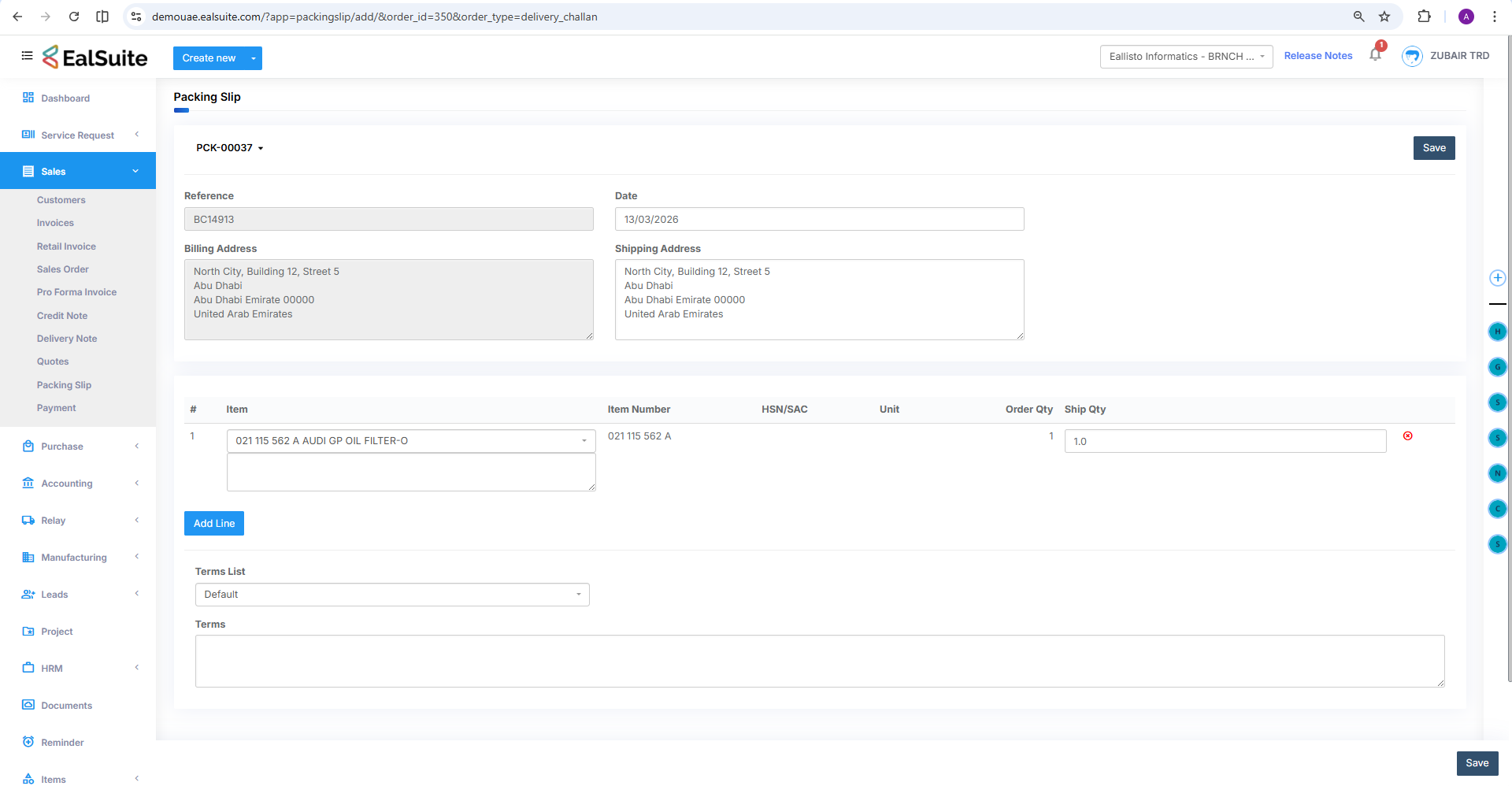
Creating a Packing Slip
A packing slip can be created in two ways:
- From the Invoice View Page → Packing Slip
- Directly from the Packing Slip Submodule
When the Packing Slip option is selected from the invoice, the system redirects to the Packing Slip Creation Page.
Packing Slip Creation Page
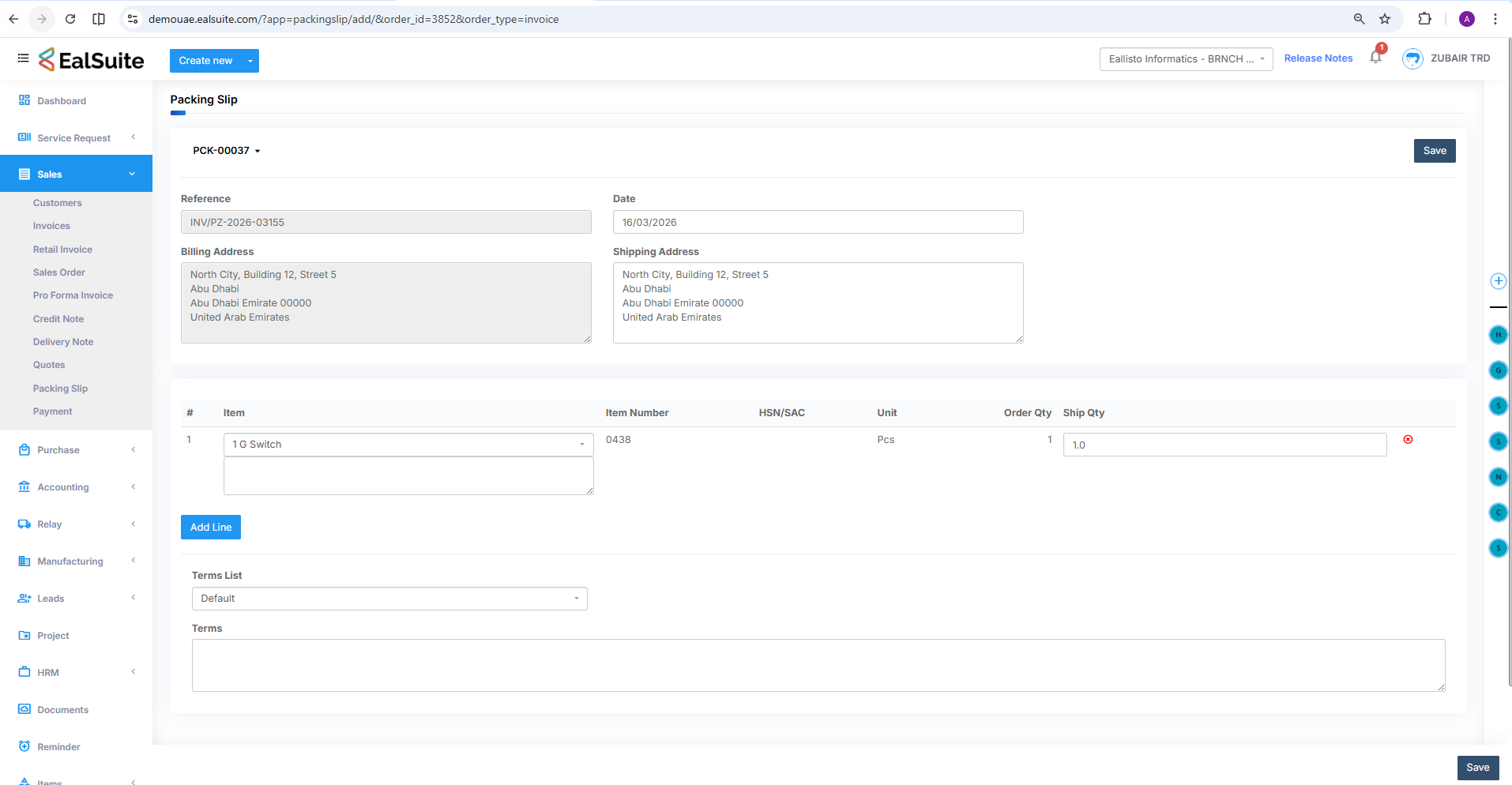
The Packing Slip creation form contains the following fields.
Basic Details
| Field | Description |
|---|---|
| Reference | Automatically populated from the source document. |
| Date | Select the packing slip date. |
| Billing Address | Automatically populated. |
| Shipping Address | Automatically populated and can be edited if required. |
Item Table

The Item Table displays the list of items included in the packing slip.
Fields include:
- Item Name
- Item Number
- HSN/SAC
- Unit
- Order Quantity
- Ship Quantity
The item details are automatically populated based on the source document.
Terms List

The Terms List displays the available terms.
- Users can select the required terms from the list.
- The selected term will be applied to the packing slip.
Save
After entering the required details, click Save to create the packing slip.
Packing Slip View Page
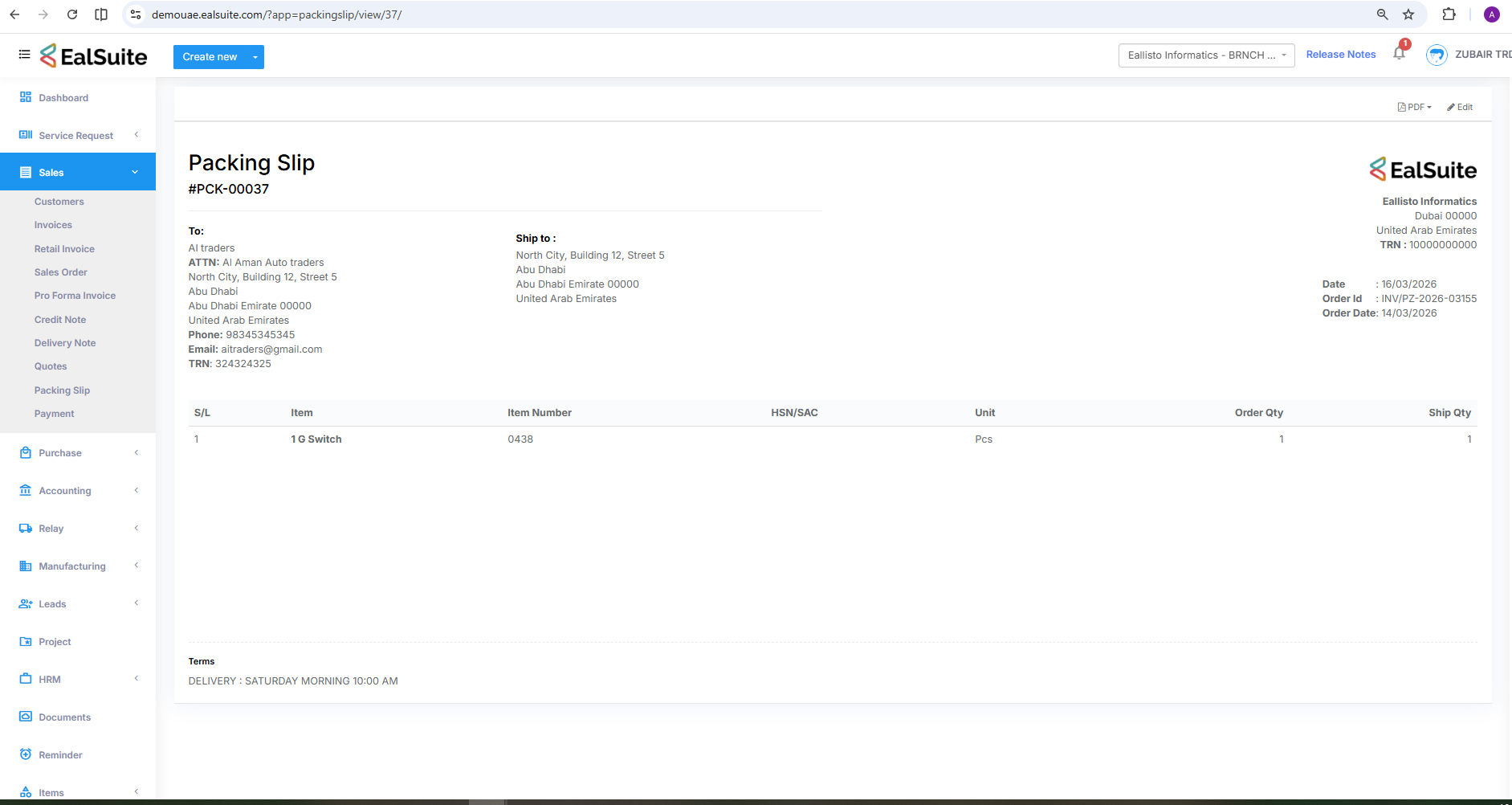
After saving, the system redirects to the Packing Slip View Page, which displays the packing slip details.
Top Action Menu

The following options are available:
- PDF – Used to view or download the packing slip in PDF format.
- Edit – Used to modify the packing slip details.
Packing Slip Body Section
The main section of the page displays the packing slip details.
Packing Slip ID
Displays the unique ID of the packing slip.
To Address
Displays the billing address of the customer.
Ship To Address
Displays the shipping address where the items will be delivered.
Item Table

Displays the list of packed items including:
- Item Name
- Item Number
- HSN/SAC
- Unit
- Order Quantity
- Ship Quantity
Last updated: July 24, 2026