Apps
Project
The Project section under Apps allows you to enable or disable the Project module for different branches in EalSuite.
Enabling Project Module
When you open Project settings:
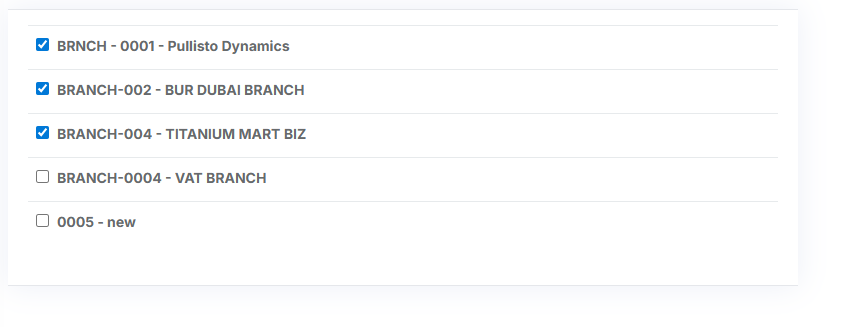
- A list of all branches is displayed
- You can enable the Project module for the required branches
- Once enabled, the Project module will be visible and accessible in those branches
⚠️ Note:
Only a Full Admin has permission to enable or disable the Project module for branches.
User Access to Project Module
Enabling the Project module for a branch does not automatically grant access to all users.
For sub-users to access the Project module:
- Go to Settings
- Open Users & Roles
- Select the required role
- Click Edit Role
- Enable the Project module permission
- Save the changes
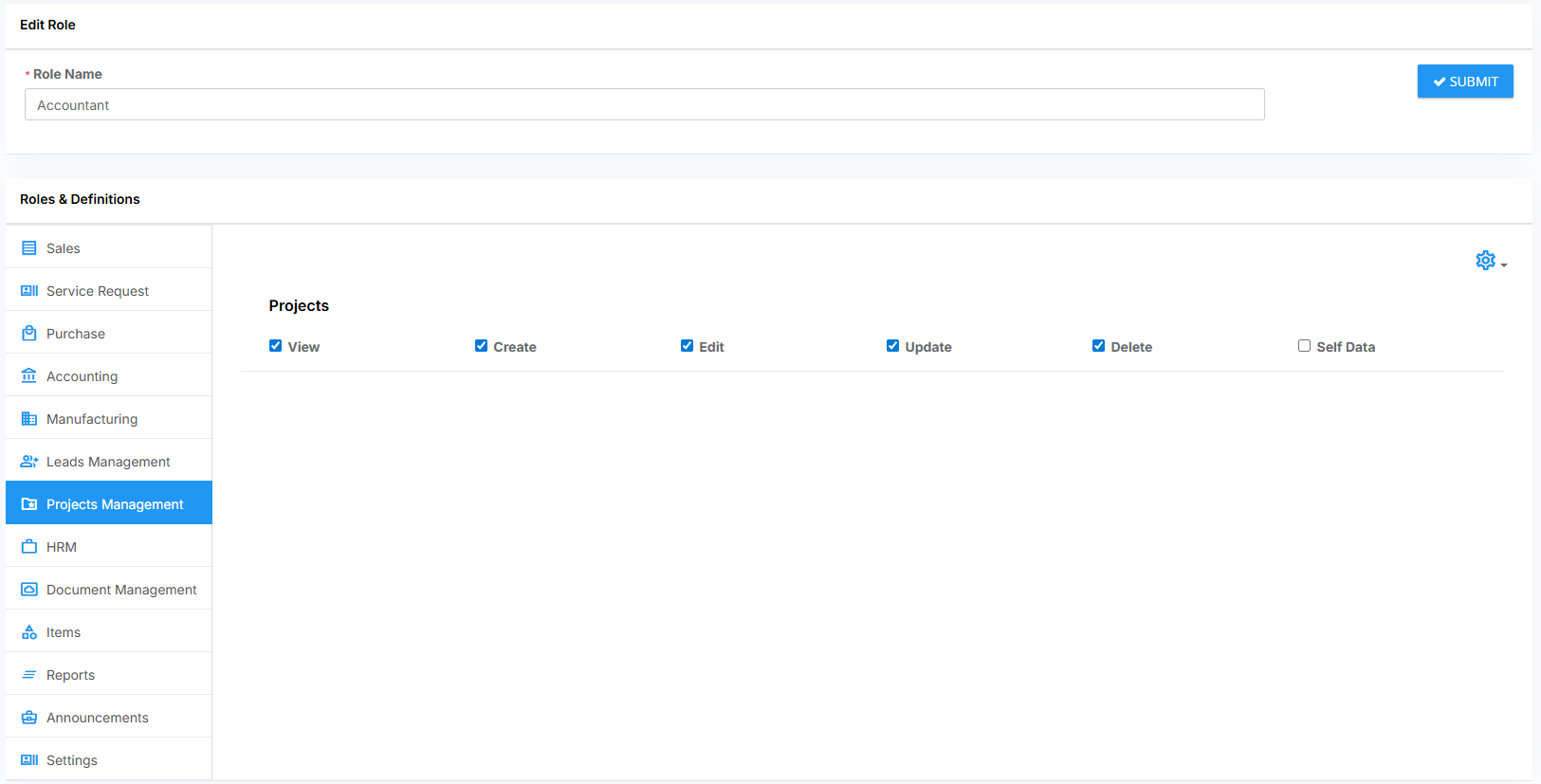
After permissions are enabled, the sub-user will be able to access the Project module in the enabled branch.
Manufacturing
The Manufacturing section under Apps allows you to enable or disable the Manufacturing module for different branches in EalSuite.
Enabling Manufacturing Module
When you open Manufacturing settings:
- A list of all branches is displayed
- You can enable the Manufacturing module for the required branches
- Once enabled, the Manufacturing module will be visible and accessible in those branches
⚠️ Note:
Only a Full Admin can enable or disable the Manufacturing module for branches.
User Access to Manufacturing Module
Enabling the Manufacturing module for a branch does not automatically grant access to all users.
For sub-users to access the Manufacturing module:
- Go to Settings
- Open Users & Roles
- Select the required role
- Click Edit Role
- Enable the Manufacturing module permission
- Save the changes
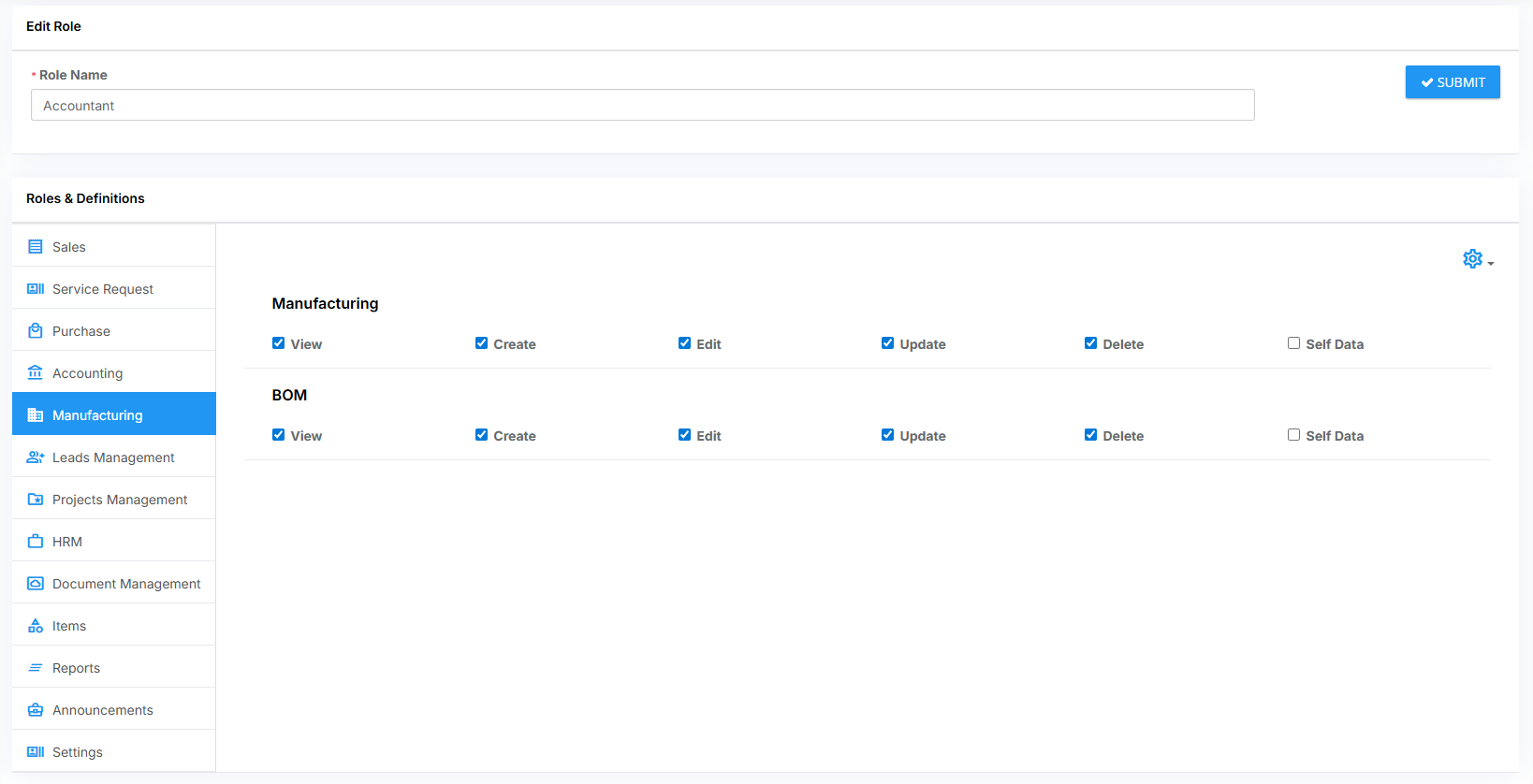
After permissions are enabled, the sub-user will be able to access the Manufacturing module in the enabled branch.
Lead Management
The Lead Management section under Apps allows you to enable or disable the Lead Management module for different branches in EalSuite.
Enabling Lead Management Module
When you open Lead Management settings:
- A list of all branches is displayed
- You can enable the Lead Management module for the required branches
- Once enabled, the Lead Management module will be visible and accessible in those branches
⚠️ Note:
Only a Full Admin can enable or disable the Lead Management module for branches.
User Access to Lead Management Module
Enabling the Lead Management module for a branch does not automatically give access to all users.
For sub-users to access the Lead Management module:
- Go to Settings
- Open Users & Roles
- Select the required role
- Click Edit Role
- Enable the Lead Management module permission
- Save the changes
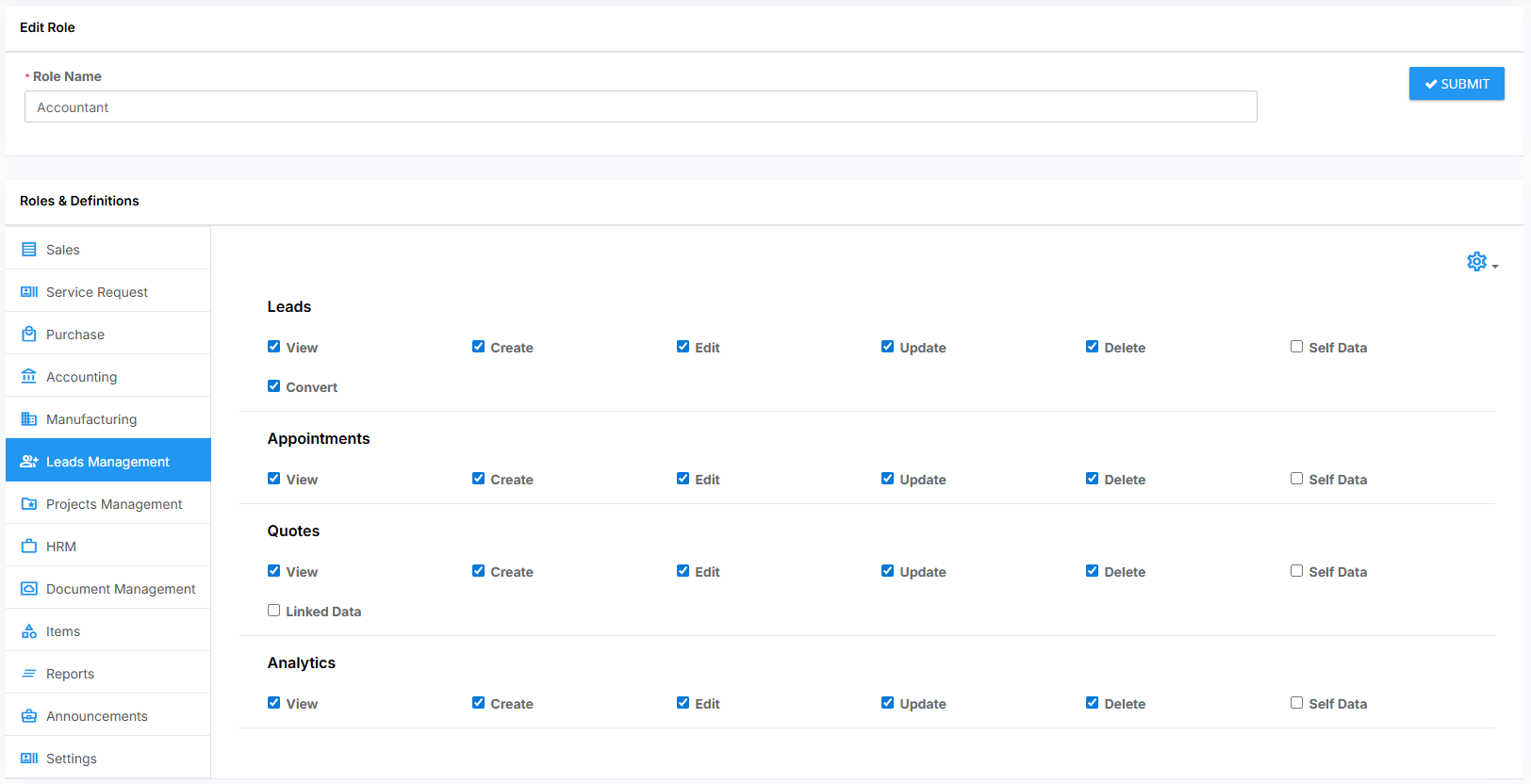
After permissions are enabled, the sub-user will be able to access the Lead Management module in the enabled branch.
Service Request
The Service Request section under Apps allows you to enable or disable the Service Request module for different branches in EalSuite.
Enabling Service Request Module
When you open Service Request settings:
- A list of all branches is displayed
- You can enable the Service Request module for the required branches
- Once enabled, the Service Request module will be visible and accessible in those branches
⚠️ Note:
Only a Full Admin can enable or disable the Service Request module for branches.
User Access to Service Request Module
Enabling the Service Request module for a branch does not automatically grant access to all users.
For sub-users to access the Service Request module:
- Go to Settings
- Open Users & Roles
- Select the required role
- Click Edit Role
- Enable the Service Request module permission
- Save the changes
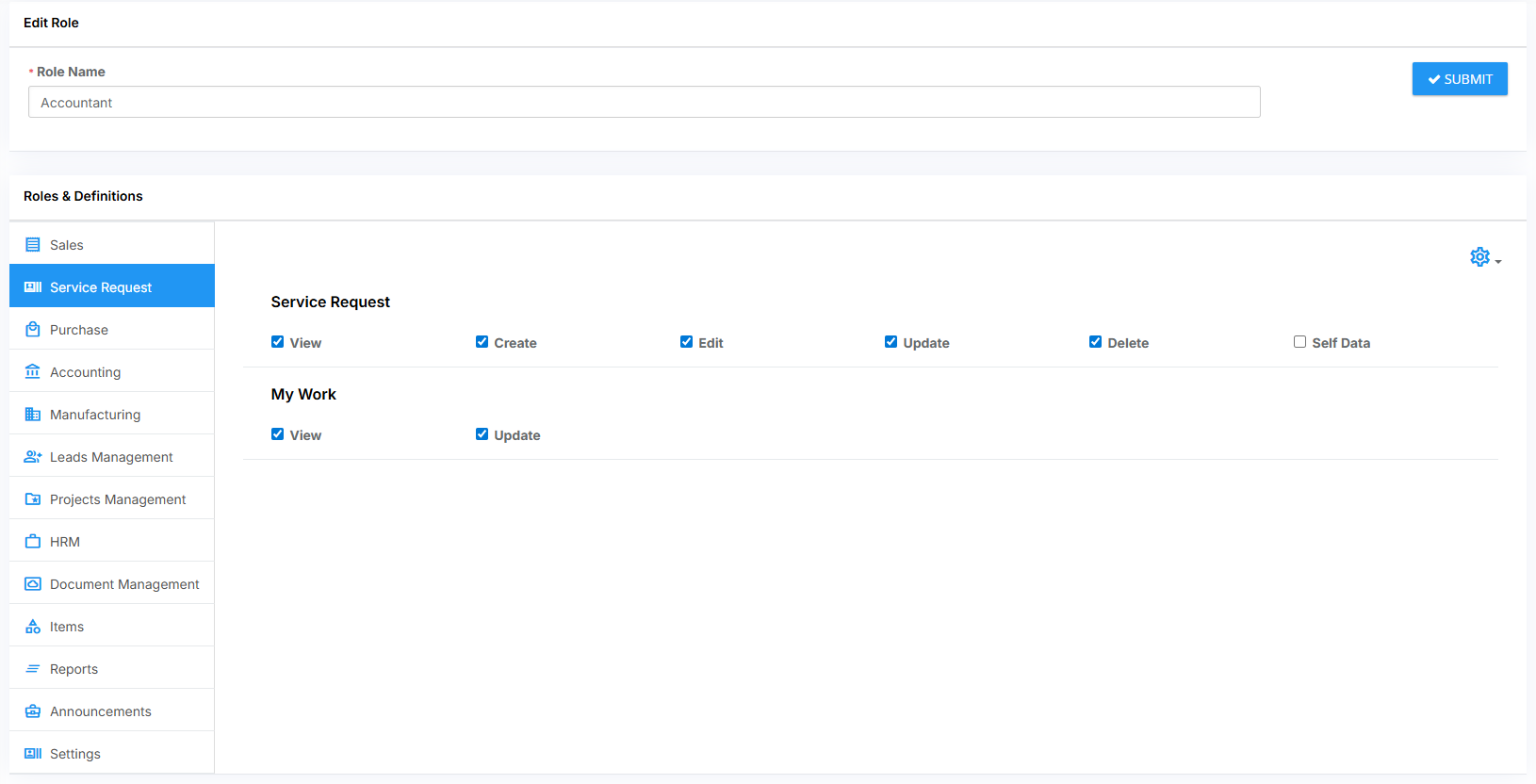
After permissions are enabled, the sub-user will be able to access the Service Request module in the enabled branch.
Last updated: July 24, 2026